Multiple DistantRace User Accounts
Multiple DistantRace User Accounts
Users may unknowingly create multiple "DistantRace" user accounts. This can happen for several reasons, such as using different emails when logging into their "DistantRace" account, using a social media account to log in that has not previously been linked to a "DistantRace" account, or using "DistantRace" both in the mobile app and web browser version with separate registrations in each. If you suspect that you have created multiple "DistantRace" user accounts, here is how you can check.
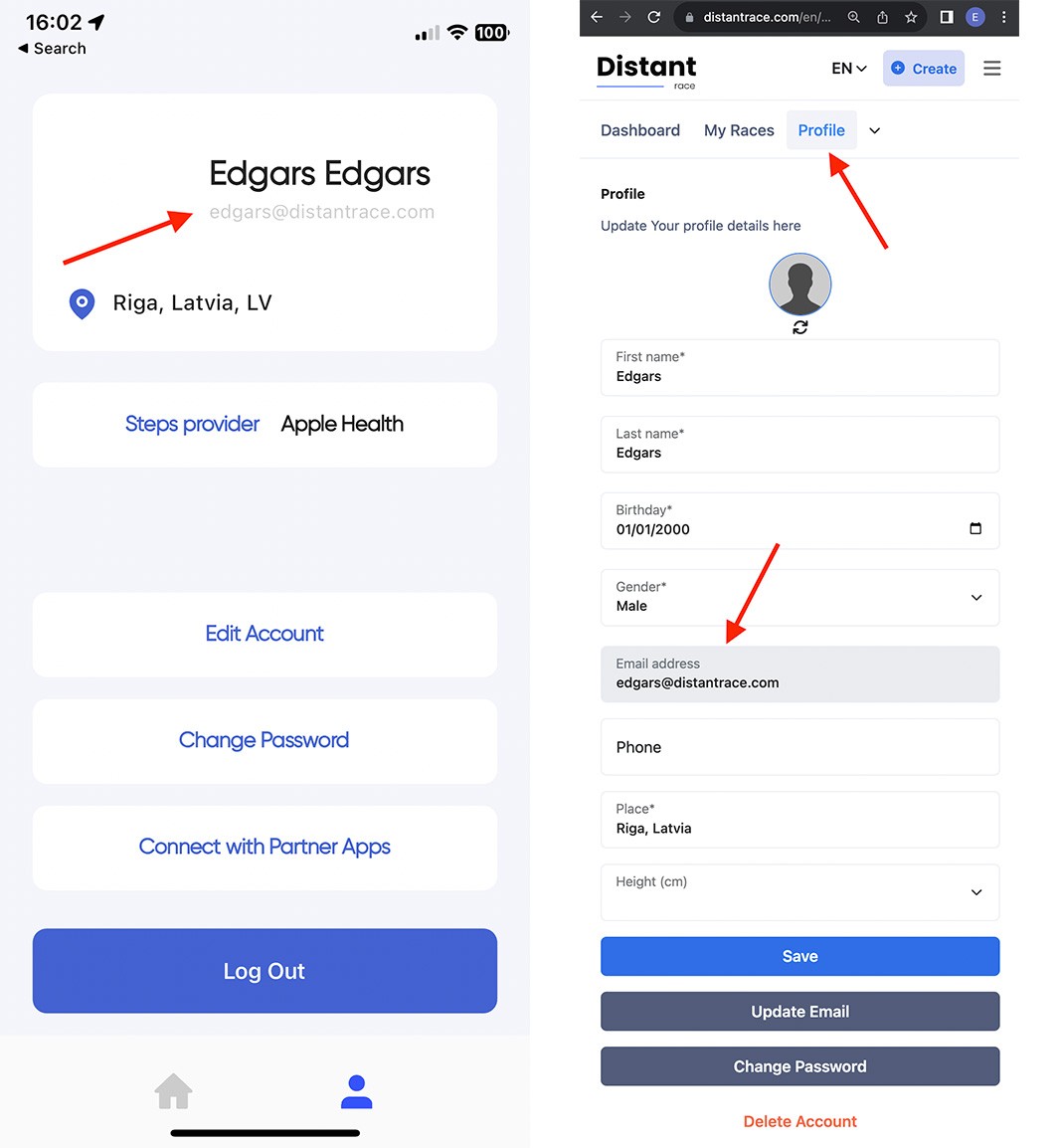
- Check your email. Both in the mobile app and web browser, in the "Profile" section, you can see the email addresses associated with your account. If you also use the mobile app and the email differs in both places, then you have 2 accounts, and data between these accounts will not be synchronized.
- Use password recovery. You can check if a "DistantRace" user account has been created with your email by using the password recovery functionality. Enter your email addresses. If you receive a letter from "DistantRace" with further instructions for password recovery, it means that you have created an account with such an email. This way, you can check all the email addresses you use.
If you find that multiple "DistantRace" accounts have been created, there are several options to resolve this.
-
Delete the unnecessary account. Log into the account you will not use, disconnect all sports apps and social accounts from it, and delete the account or simply log out on all devices you use. Then log into "DistantRace" with the account you will use consistently, and you can add all the sports apps anew.
-
Merge accounts If both accounts contain data you need, use the in-app flow when connecting social login — Resolving duplicate social accounts. For email-only duplicates, write to support@distantrace.com with all account emails.