How to submit daily steps with an Android phone?
How to submit daily steps with an Android phone?
Use the DistantRace mobile app to synchronize daily steps from an Android device. New users connect through Health Connect. Google Fit is not offered for new connections.
Health Connect can receive steps from Samsung Health and other compatible apps. If Health Connect is unavailable, choose another current source, such as the phone pedometer or a connected sports app; see Step sync setup.

Health Connect #
Health Connect is a new way to aggregate sports activities and daily step data on an Android phone. This app itself does not count steps, but acts as an intermediary - there are apps that can write and apps that can read the information. DistantRace reads the step data recorded in this intermediary program.
- Open Health Connect:
Health Connect is built into Android 14 and later. If Health Connect is unavailable on your phone, choose another current source in Step sync setup. - Install the DistantRace app:
The DistantRace app is also available on the Google Play Store. Install it. - Give DistantRace permission to read step data:
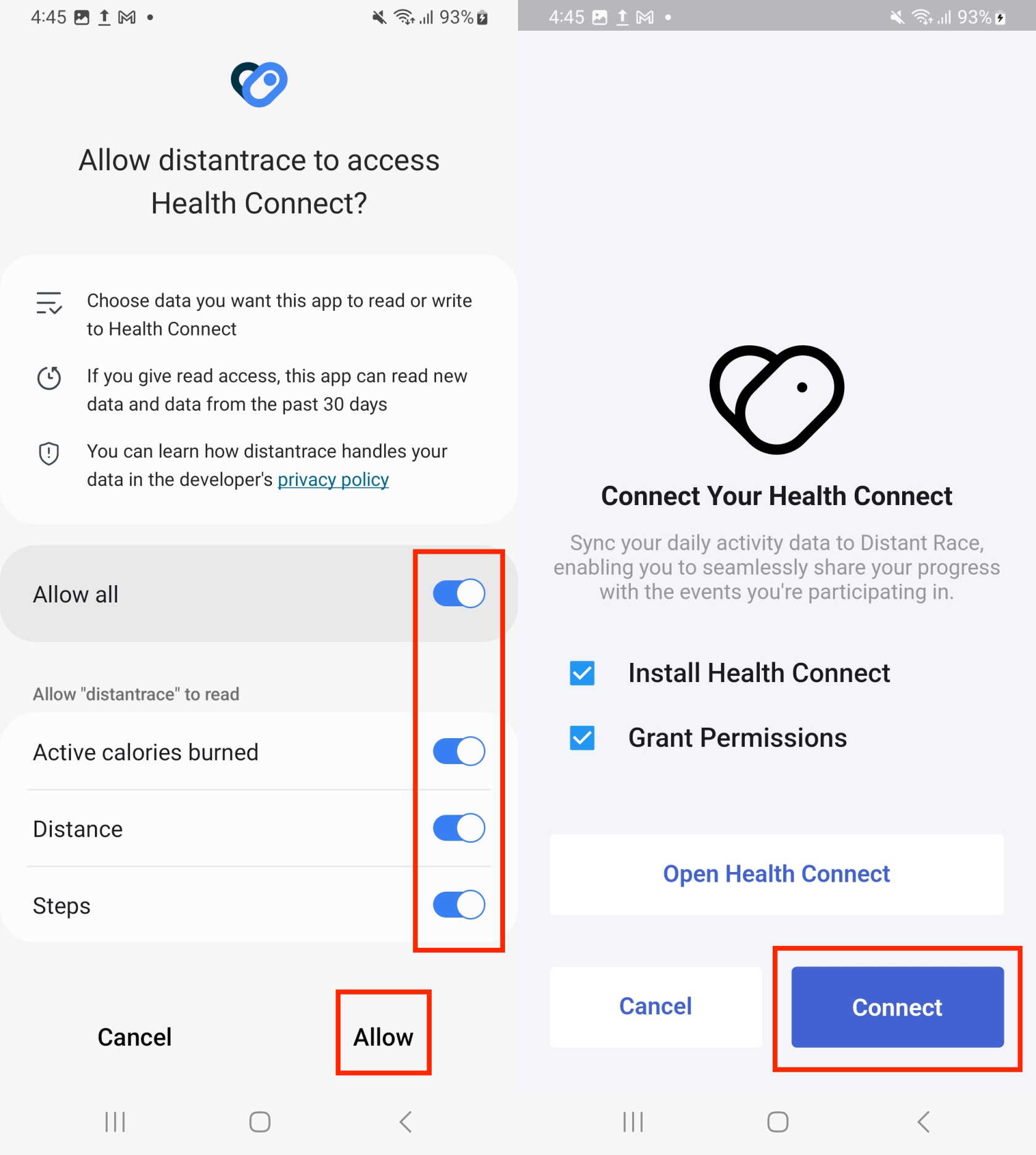
- Make sure there are apps that send steps to Health Connect:
For DistantRace to receive steps, there must be a step provider. Open Health Connect and check if there is an app that records steps.
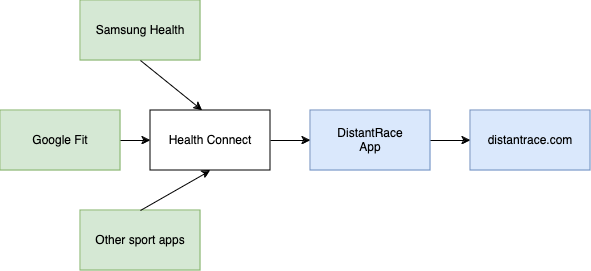
❗Please note that we can only get data from Health Connect when you have opened the DistantRace app. Therefore, remember to occasionally open the app so that the latest steps reach DistantRace.
Google Fit #
Google Fit access remains only in older versions of the DistantRace Android app during migration to Health Connect. New Android users are not offered Google Fit.
Troubleshooting #
If DistantRace shows zero steps, open Health Connect and check that a compatible app is writing steps and that DistantRace has permission to read them. New users should choose Health Connect or another current source rather than looking for Google Fit in DistantRace.
Regularly open DistantRace and the app that records your steps so the latest data can synchronize.