How to export data from DistantRace?
How to export data from DistantRace?
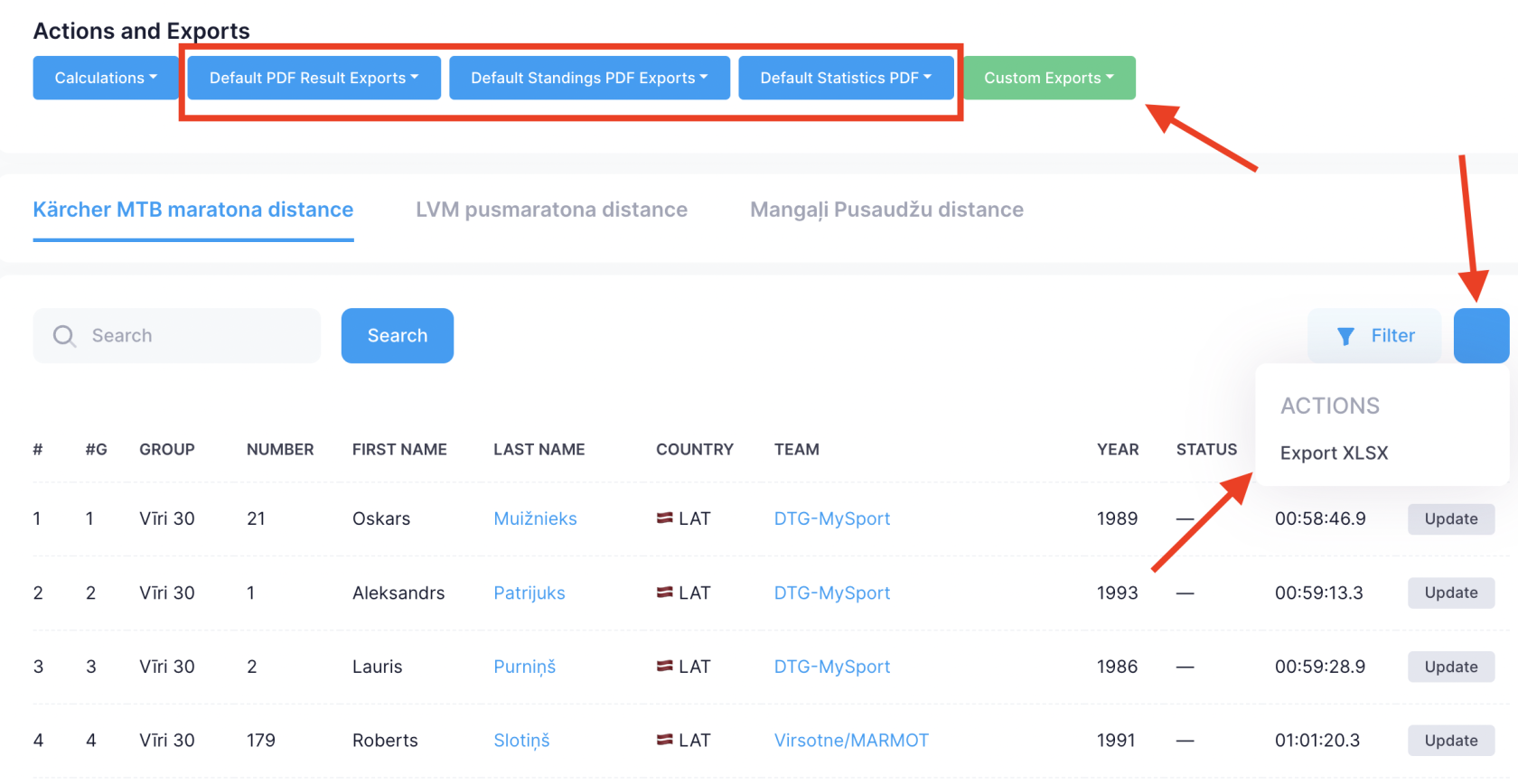
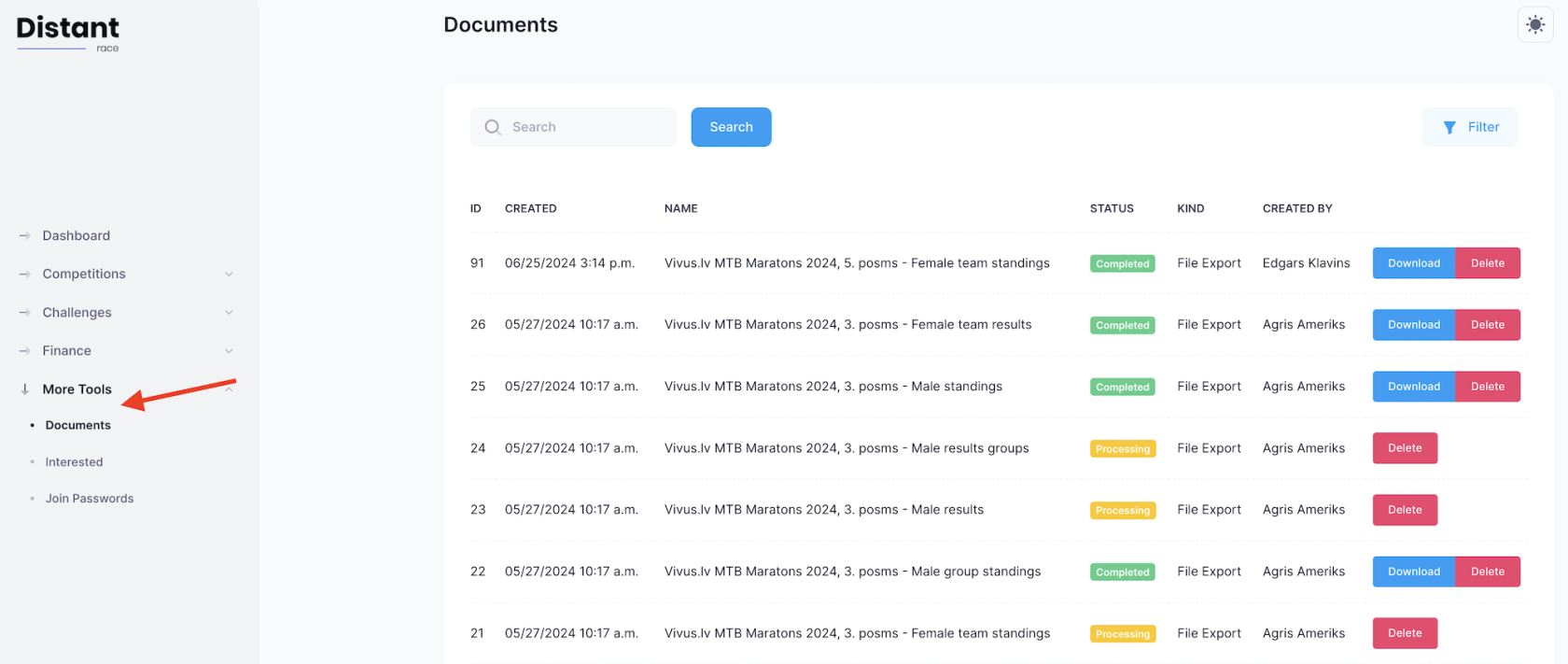
Organizers export data in XLSX or PDF from list views and dashboard actions. Large exports run in the background — download finished files from Organizer documents (club → More tools → Documents).
Common export locations #
| Data | Path | Guide |
|---|---|---|
| Challenge participants + custom questions | Challenge → Participants → Export XLSX | Exporting challenge data |
| Challenge daily steps | Challenge → Workouts → Export XLSX | Exporting step challenge daily results |
| Challenge teams | Challenge → Teams → Export XLSX | Exporting challenge data |
| Competition start list + answers | Competition → Start list → export menu | Managing the start list |
| Marketing contacts | Start list → Marketing export or Marketing → Export | Marketing email export filters |
| Race results | Competition → Results → Export XLSX | Exporting results data |
| Sold tickets | Competition → Tickets → Sold → export | Managing tickets and pricing |
| Invoices | Finance → Invoices → export | Invoicing |
| Fee breakdown | Finance → Fee details → export | Financial data summary |
| Discount codes | Finance → Discount codes → campaign → Export XLSX | Discount codes |
| Shop products sold | Shop → Products → Bought → export | Shop bought products list |
| Join codes | Challenge/Competition → Settings → Join codes → export | Join codes and invitations |
| Yearly income | Club → Competitions → yearly export | Yearly income export |
CSV import vs exports #
The CSV importer imports participants into a competition — it is not an export tool. For timing feeds use file import or URL sync.
Custom exports #
Need a report not listed here? Email support@distantrace.com — we can add export columns or one-off reports.
Related #
¿Te resultó útil esta página?
Gracias — tus comentarios nos ayudan a mejorar esta documentación.