Garmin GPX download
Garmin GPX download
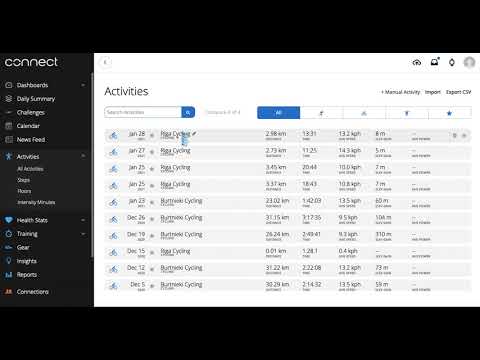
- Log into your Garmin Connect account at connect.garmin.com from a computer.
- Click on the Activities section and then All Activities.
- Select and open the activity you wish to add to your DistantRace.com profile.
- In the upper right corner of the page, click on the More icon and choose "Export to GPX".
- The selected activity will be downloaded to your computer in GPX format.
- Then, log into your DistantRace.com profile and go to the My Activities section.
- Choose the "Upload GPX" icon and add your activity.
- Once the activity is uploaded, it will automatically be added to your DistantRace.com profile activities.
¿Te resultó útil esta página?
Gracias — tus comentarios nos ayudan a mejorar esta documentación.