How to record a sports activity using the Strava app
How to record a sports activity using the Strava app
Direct Strava sync unavailable
DistantRace cannot receive activities directly from Strava. After recording, use a workaround from Strava and DistantRace connection (manual upload, Suunto, or Wahoo). This page covers recording workouts in the Strava app only.
Recording workouts with the Strava app is a user-friendly process available to both Android and iOS users.
How to record a sports activity:
-
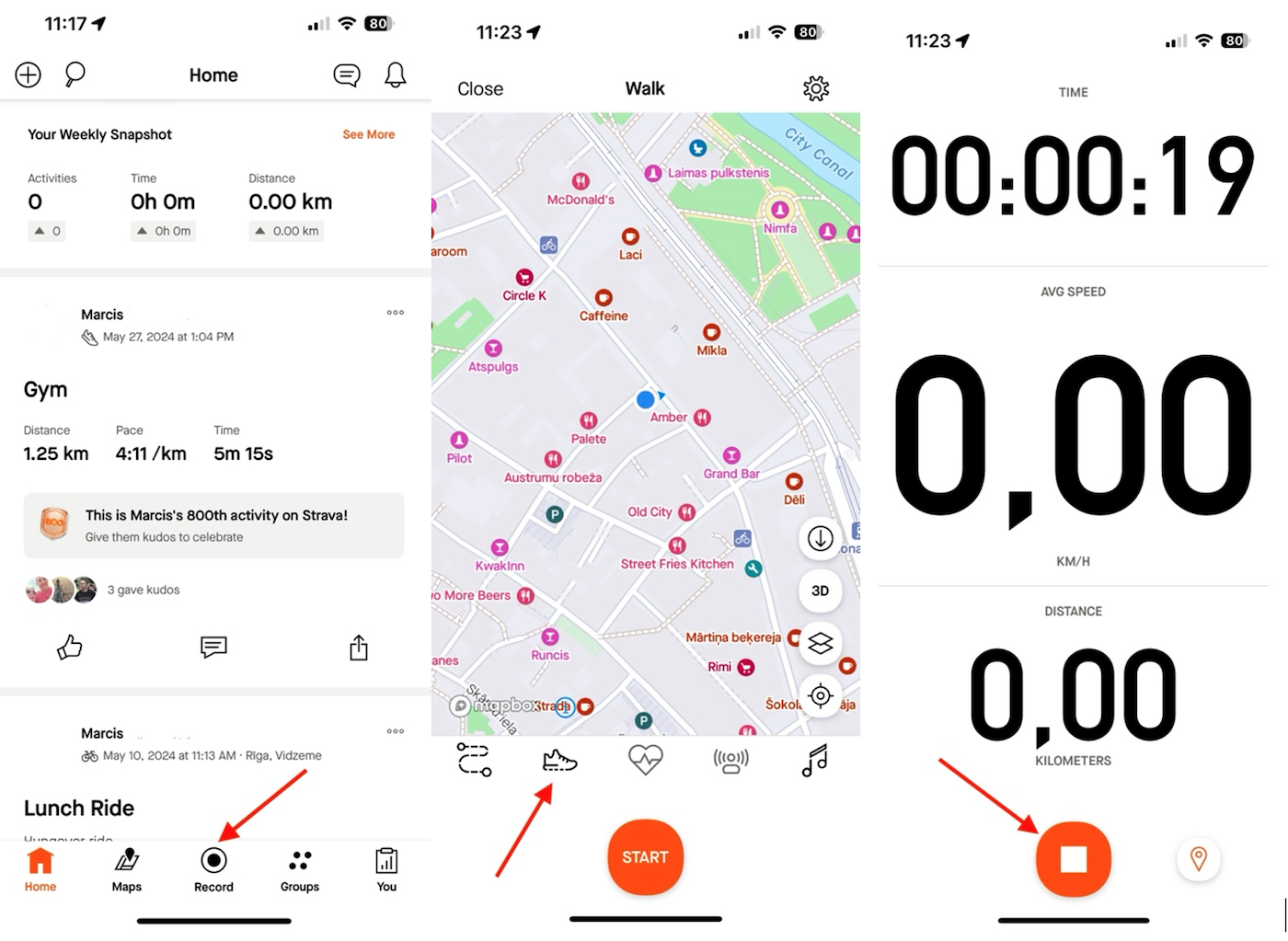
Open the Strava app and press the "Record" button at the bottom center of the screen.
-
If you want to change the sport type of your workout, press the sport selection icon (second from the left) and choose the appropriate sport.
-
To start recording the activity, press the "Start" button. Go for your workout and take your phone with you.
-
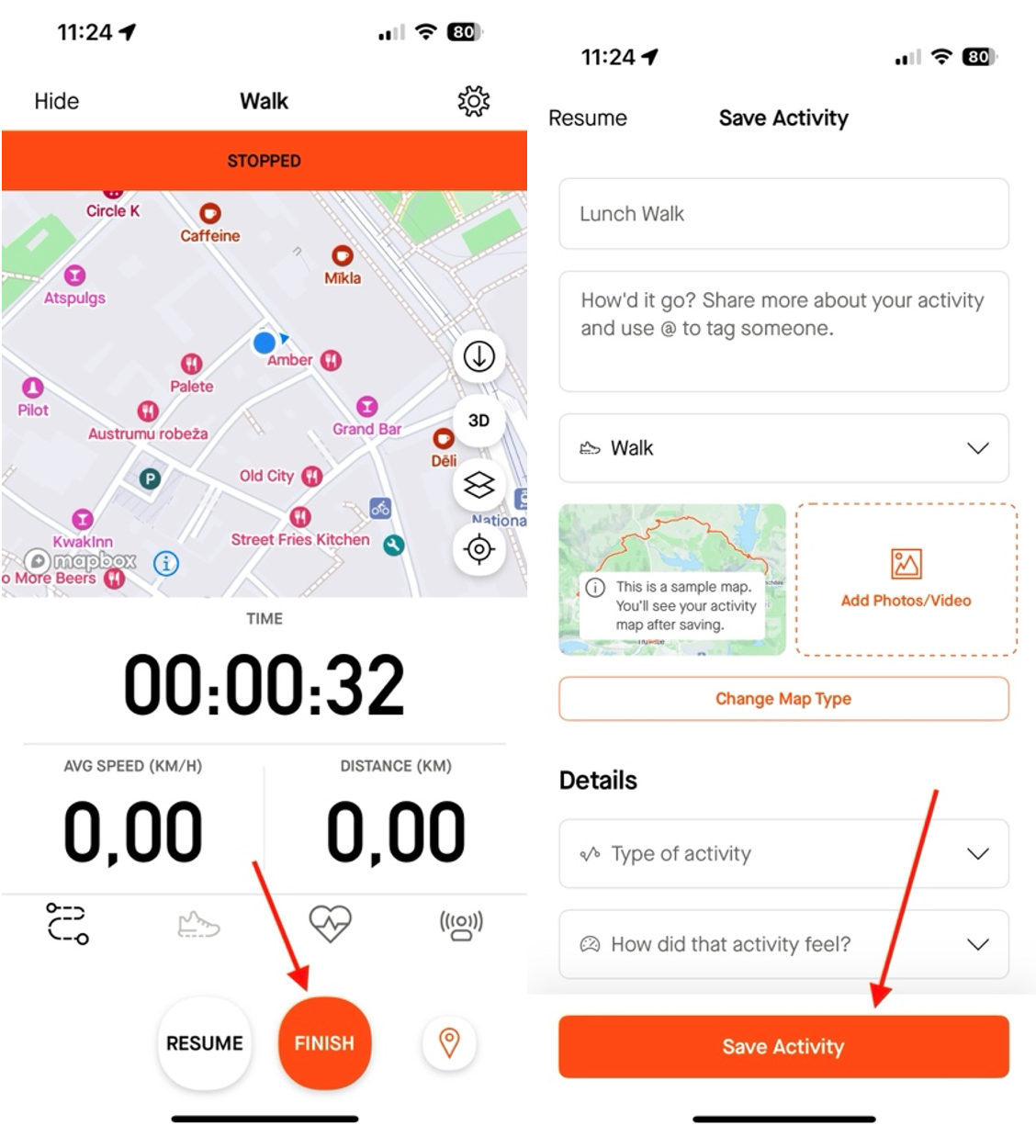
When the workout is finished, press the "Stop" button and then the "Finish" button.
-
Save the activity.
-
Once the activity is saved, export or sync it to DistantRace using one of the options in Strava and DistantRace connection — direct Strava-to-DistantRace sync is not available.