Race-day registration and check-in
Race-day registration and check-in
Let participants register after online payment closes and check in with a QR code on race day.
How it works for participants #
- Participants open the same registration link as before, but only for one person at a time.
- After submitting the form, they see a QR code on screen and receive it by email.
- On race day they present the QR at the registration tent.
- Staff scan the code, verify payment, assign a bib, and confirm start list entry.
See Register for in-person competitions.
Enable for organizers #
Registration settings #
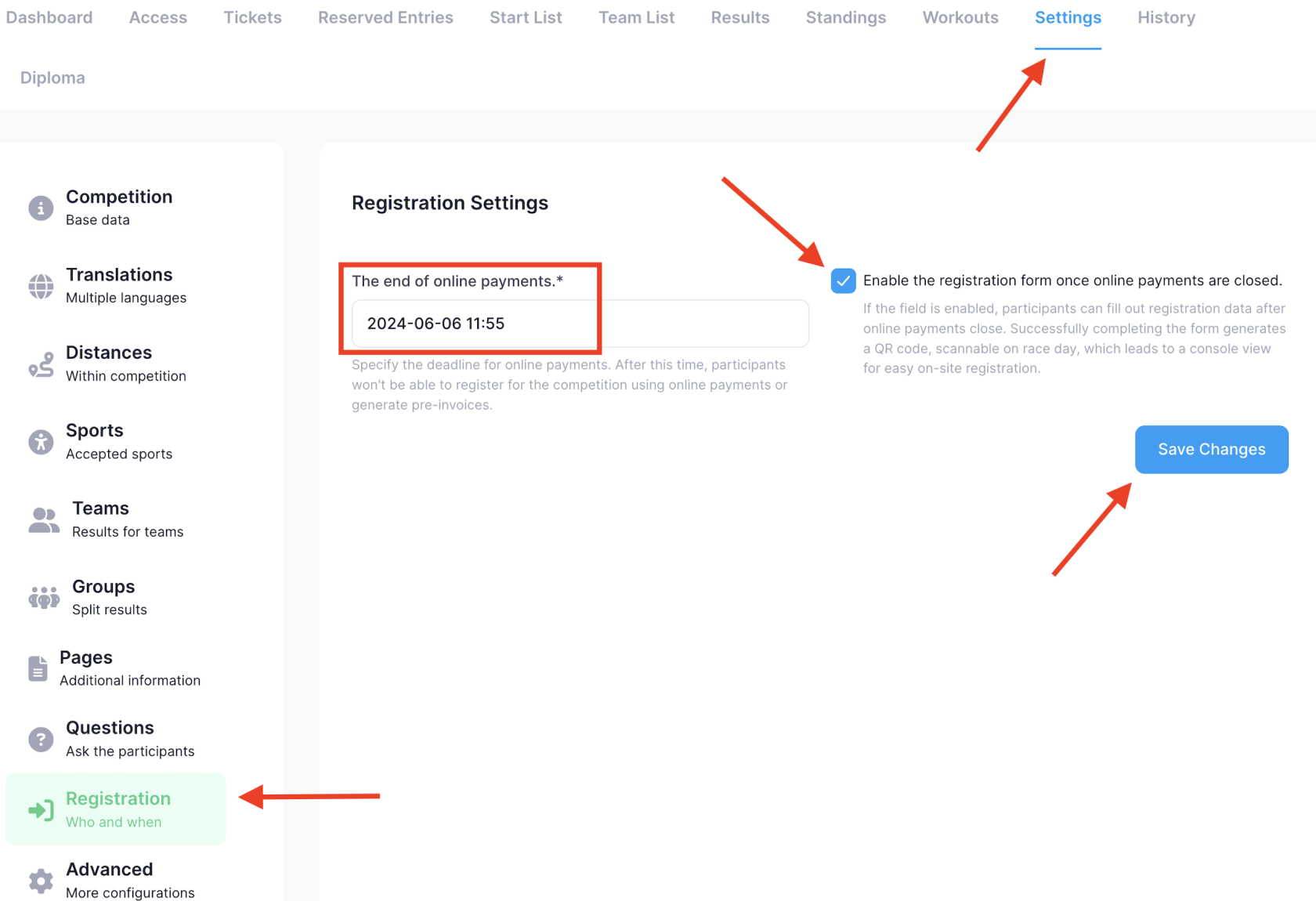
- Go to Settings → Registration.
- Set The end of online payments — when card payments stop.
- Enable registration form once online payments are closed (race-day QR apply).
- Save.
Race-day tickets #
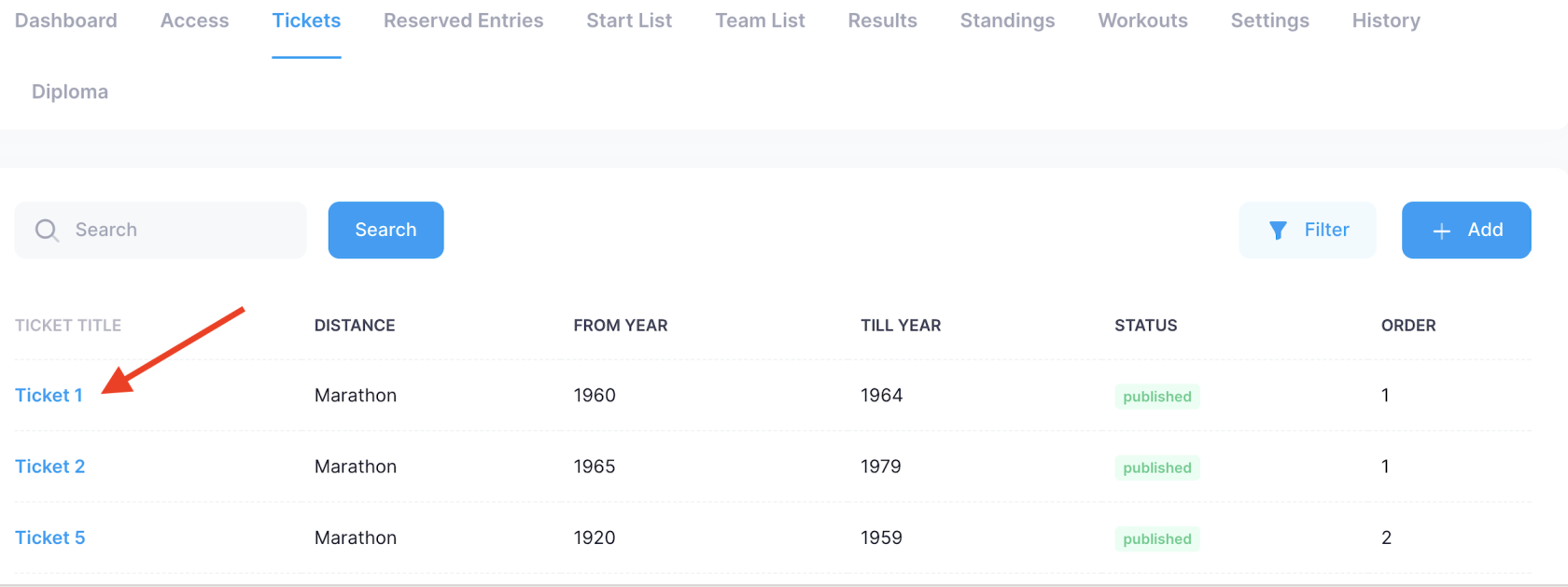
Configure which distances and informative fees apply on race day:
- Open Tickets → select or create a ticket.
- Add New Fee for the race-day price (informational — no online payment).
- Participants select this ticket and complete the form.
On-site payment #
Use the on-site cart tools in the manager console to record payment when participants pay at the tent — see On-site payment and in-store registration.
Ticket scanning #
For ticket-race formats, assign volunteers the Ticket scan role and use the mobile app scanner — Mobile ticket scanning for organizers.
Related #
Var denne side nyttig?
Tak — din feedback hjælper os med at forbedre dokumentationen.